

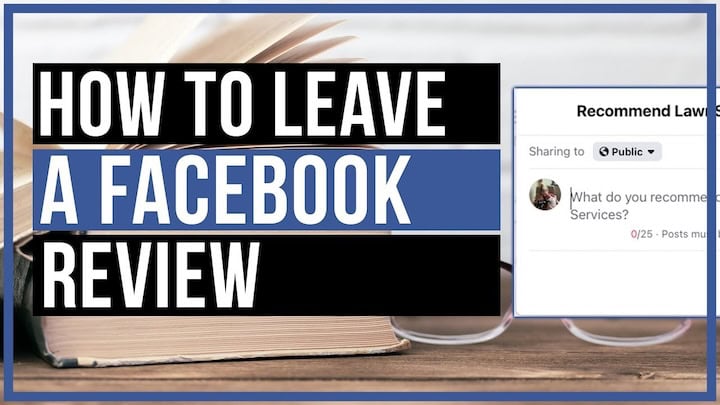
Online reviews have become one of the most powerful forces in consumer decision-making. According to BrightLocal’s 2026 Consumer Review Survey, 98% of people read online reviews for local businesses, and Facebook remains one of the top three platforms where customers go to share and read feedback. Whether you want to praise a local restaurant, flag a bad experience, or simply help a small business grow, knowing how to leave a review on Facebook is a skill worth having.
Why Facebook Reviews Matter
Before diving into the steps, it’s worth understanding why Facebook ratings carry so much weight.
Facebook’s review system feeds directly into a business’s overall star rating, which appears prominently on their Page. That rating shows up in Facebook search results, in the sidebar of business Pages, and even in Google results when someone searches a business name. A business with 4.8 stars and 200 reviews looks dramatically more trustworthy than one with no ratings at all.
For small businesses in particular, a handful of genuine, thoughtful reviews can be the difference between a quiet month and a fully booked one. When you take five minutes to leave a review, you’re doing more than sharing an opinion — you’re shaping a business’s digital reputation.
What You Need Before You Start
Leaving a Facebook review is straightforward, but there are a few prerequisites:
- A Facebook account. Reviews are tied to your profile, so anonymous reviews aren’t possible on the platform.
- The business must have Reviews enabled. Not every Facebook Page has the Reviews tab turned on — it’s a setting the Page owner controls.
- You must not be an admin of the Page. Facebook doesn’t allow Page administrators to leave reviews on their own Pages.
If you meet all three criteria, you’re ready to go.
How to Leave a Review on Facebook on a Desktop (Step-by-Step)
The desktop experience is the most straightforward way to leave a Facebook review. Here’s exactly how to do it.
Step 1: Log Into Facebook
Go to facebook.com and sign in to your account. Make sure you’re using the account you want associated with the review, since your name and profile photo will be visible.
Step 2: Search for the Business
Use the search bar at the top of the page to find the business you want to review. Type the business name and press Enter. Look for the official Facebook Page in the results — it will typically have a blue checkmark if it’s verified, or a category label like “Restaurant” or “Retail Company.”
Step 3: Navigate to the Reviews Tab
Once you’re on the business’s Facebook Page, look for the navigation tabs beneath the cover photo. You’ll see options like Home, About, Photos, and — if the Page has it enabled — Reviews. Click on “Reviews.”
If you don’t see a Reviews tab, the Page owner may have disabled the feature. In that case, you won’t be able to leave a rating through this method.
Step 4: Click “Yes” to Recommend the Business
Facebook’s review system uses a recommendation model rather than a traditional star rating scale. You’ll be asked: “Do you recommend [Business Name]?” Click Yes to leave a positive recommendation, or No to leave a critical one.
Step 5: Write Your Review
A text box will appear where you can elaborate on your experience. While this step is technically optional, a written review is far more valuable — both to the business and to other readers — than a simple yes or no.
Aim for two to four sentences that cover:
- What service or product you used
- What stood out about the experience
- Who you’d recommend this business to
Facebook also allows you to add tags (like “Great service” or “Tasty food”) and photos, both of which can make your review more visible and useful.
Step 6: Adjust Your Privacy Settings
By default, your review may be set to public. You can change the audience using the privacy dropdown that appears before you post. Most people leave reviews public so they benefit other users, but the option is there if you prefer a smaller audience.
Step 7: Click “Post”
Hit the blue Post button and your review goes live. The business’s rating will update to reflect your input, usually within a few minutes.
Also Read: How to Comment Anonymously on Facebook Group (Step-by-Step Privacy Guide for 2026)
How to Leave a Facebook Review on Mobile (App)
The process on the Facebook mobile app is nearly identical, with a slightly different interface.
Step 1: Open the Facebook App and Search
Tap the search icon and type the name of the business. Select the correct Page from the results.
Step 2: Find the Reviews Section
Scroll down on the Page until you see the Reviews section. On mobile, this is often displayed as a card rather than a tab. Tap “See All Reviews” or the star rating area to enter the Reviews section.
Step 3: Tap “Yes” or “No” to Recommend
Just like on desktop, you’ll be prompted with the recommendation question. Tap your choice to proceed.
Step 4: Write and Post Your Review
Add your written feedback, optional tags, and any photos. Tap Post to submit.
How to Leave a Facebook Review on a Mobile Browser
If you’re not using the app but are on a phone, the mobile browser experience mirrors the desktop process. Navigate to facebook.com, search for the business, and follow the same desktop steps outlined above. The layout may look slightly compressed, but the functionality is identical.
Tips for Writing a Review That Actually Gets Read
Not all reviews are created equal. A one-word review like “Great!” tells readers almost nothing. Here’s how to write something genuinely useful:
Be specific. Instead of “Good food,” try “The lamb tagine was tender and perfectly spiced — easily one of the best I’ve had in Dhaka.” Specificity builds trust.
Mention context. Were you celebrating an anniversary? Stopping in for a quick lunch? Context helps other readers assess whether your experience applies to their situation.
Balance your tone. If something went wrong but the business handled it well, say so. Nuanced reviews are more credible than purely positive or purely negative ones.
Include photos when possible. Reviews with photos get significantly more engagement and are weighted more heavily in some platforms’ algorithms.
Keep it honest. Facebook has systems in place to detect fake or incentivized reviews. Write from genuine experience.
How to Edit or Delete a Facebook Review You’ve Already Left
Made a typo? Changed your mind after a follow-up visit? You can manage your reviews after posting.
To edit or delete a review on desktop, go back to the business’s Reviews tab. Find your review and click the three-dot menu (⋯) in the top-right corner of your review. You’ll see options to Edit Review or Delete Review.
On mobile, the process is the same — navigate to your review on the Page and use the three-dot menu to make changes.
Keep in mind that once a review is deleted, it’s gone permanently. If you want to update your feedback rather than remove it entirely, editing is the better option.
Troubleshooting: Common Problems When Leaving a Facebook Review
“I Don’t See a Reviews Tab”
This is the most common issue. The business has likely disabled the Reviews feature on their Page. Unfortunately, there’s nothing you can do from your end — it’s a setting controlled by the Page administrator. You could try reaching out to the business directly to let them know you wanted to leave feedback.
“My Review Isn’t Showing Up”
Facebook’s moderation system sometimes holds reviews temporarily, especially if your account is new or if your review contains links, certain keywords, or is flagged for any reason. Wait 24 hours and check again. If it still doesn’t appear, the review may have been removed by Facebook’s automated systems.
“The Recommend Button Isn’t Working”
Try refreshing the page, clearing your browser cache, or switching to the Facebook app. If the problem persists, the feature may be experiencing a temporary outage.
“I Can’t Leave a Review Because I’m an Admin”
Facebook prevents Page admins from reviewing their own Pages to prevent manipulation. If you’re trying to leave a review as a personal user on a Page you manage, you’ll need to remove yourself as an admin first — which isn’t practical in most cases.
The Difference Between Facebook Reviews and Facebook Ratings
You may notice that some Pages display a star rating without a traditional review system. Facebook transitioned from a five-star rating model to a recommendation-based system (Yes/No) in 2018. However, older star ratings from before the switch are still factored into a Page’s overall score.
The recommendation system is designed to be more nuanced — a written recommendation carries more weight than a click, which encourages more thoughtful feedback from users.
How Businesses Can Respond to Facebook Reviews
If you run a business and you’re reading this guide, it’s worth knowing that Facebook allows Page admins to respond publicly to reviews. A prompt, professional response to negative feedback can actually improve your reputation — research from Harvard Business Review found that businesses that respond to reviews see higher ratings over time.
To respond to a review, go to your Page’s Reviews tab, find the review, and click Respond. Keep your reply brief, thank the reviewer, and address any specific concerns they raised without being defensive.
Beyond Facebook: Other Places to Leave Reviews
While Facebook reviews are valuable, they’re one piece of a larger puzzle. If you want to help a business build its online reputation further, consider also leaving reviews on:
- Google — Google reviews carry significant weight in local search rankings
- Yelp — Particularly influential for restaurants and service businesses
- TripAdvisor — The go-to platform for hospitality and tourism
A business with strong ratings across multiple platforms is far more visible in search results than one concentrated on a single site.
Final Thoughts
Knowing how to leave a review on Facebook takes less than five minutes, but the impact can last for years. Every honest review you post helps other consumers make informed decisions and gives hardworking businesses the recognition they deserve. Whether you’re rating your favorite bakery, a new hair salon, or a plumber who came through in an emergency, your voice carries real weight on this platform.
The next time you have a memorable experience — good or bad — consider heading to that business’s Facebook Page and sharing it. It’s one of the simplest ways to contribute meaningfully to your community.
Have you left a Facebook review recently? Did you run into any issues, or do you have tips for writing reviews that haven’t been covered here? Drop your thoughts in the comments below — we’d love to hear from you.